Learn the Japanese Hiragana and Katakana scripts.
| Download Japanese desktop application (Windows 64bit) | Download Japanese source code (Lazarus/Free Pascal) |
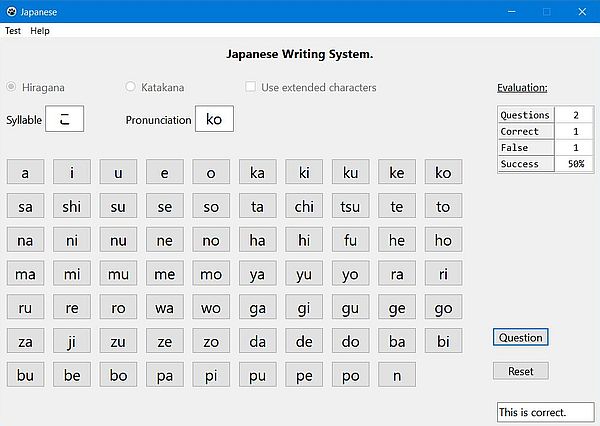
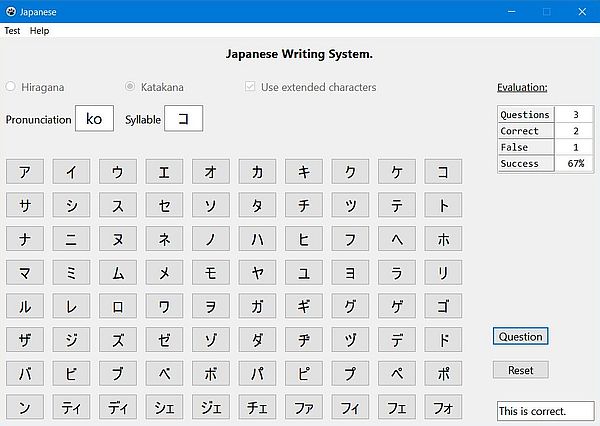
Description: Educational application, generating exercises concerning the Japanese writing system. The application includes both finding
how a given Japanese syllable (Hiragana, or Katakana script) is pronounced, and how a given sound is written.
The script to be used is chosen by selecting the corresponding radio button. Push "Start" to begin the test, "Question" to display the next question, "Answer" to
let check your answer. The number of questions is set to 20. You can quit a test, using the "Reset" button. Be sure to launch a new test from the "Test" menu,
in order to make all options selected to become active.
Improvement: Displaying the syllable/pronunciation buttons in a random order would avoid that students, who know the "natural order" of the
script characters, find the correct answer considering the position of the button...
Free Pascal features: Changing label and button captures during runtime; rearranging form components during runtime. Reading text files
(classic Pascal). Dynamic arrays of records (classic Pascal)
Screenshots:
|
|
If you like this application, please, support me and this website by signing my guestbook.